

Daily Searches
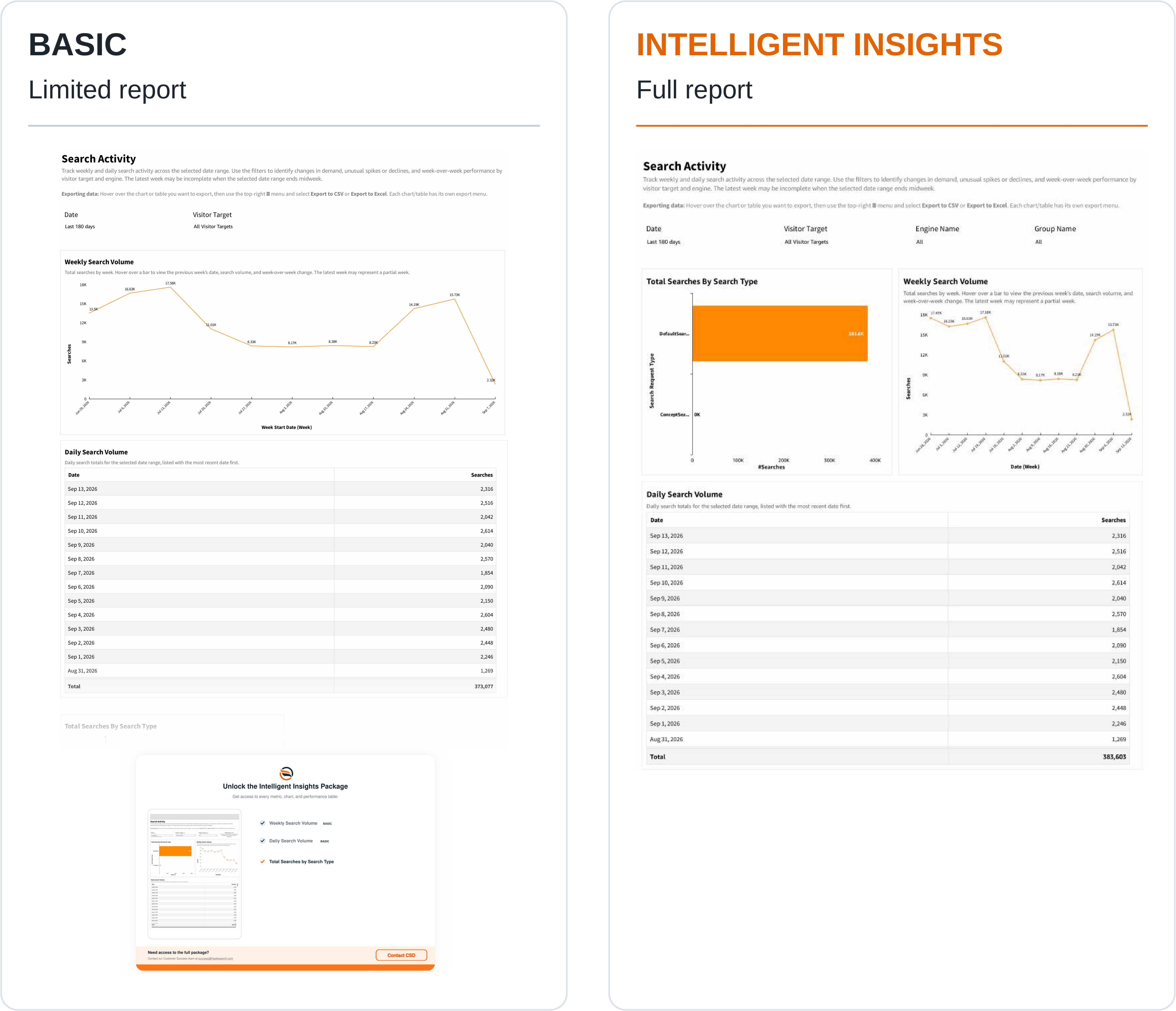
Displayed as Search Activity, this report shows how often customers use search. Use it to identify daily changes, weekly patterns, and shifts in the types of search requests your site sends.
What the report shows
- Total Searches By Search Type compares recorded search volume across the request types present in your data, such as DefaultSearch and ConceptSearch.
- Weekly Search Volume shows search totals over time at weekly intervals. Its tooltip provides the comparison information described beside the chart, including prior-week volume and change.
- Daily Search Volume lists dates and search counts, with the most recent dates first, and provides a total for the selected view.
How to use the report
- Select the reporting period and the engine or visitor target you want to examine.
- Review search types to understand the composition of demand.
- Check the weekly trend for sustained growth, recurring patterns, or unusual declines.
- Use the daily table to locate the dates responsible for a change.
- Export the daily table when you need to compare search activity with a campaign calendar, site release, or another traffic source.
Interpreting the results
The latest week may include only part of a week. Check the date range before treating a sharp decline in the final point as a loss of traffic.
Search volume measures recorded search activity, not unique visitors. Use Top Queries to identify which terms account for demand and Google Analytics to compare the pattern with broader site traffic. If volume changes unexpectedly, review both customer behavior and tracking or implementation changes.
Updated 29 days ago
Did this page help you?