

Landing Pages
Landing Pages combines page activity with facet, sorting, and pagination analysis. Use it to understand how customers browse a page and which interactions accompany cart or sales activity.
What the report shows
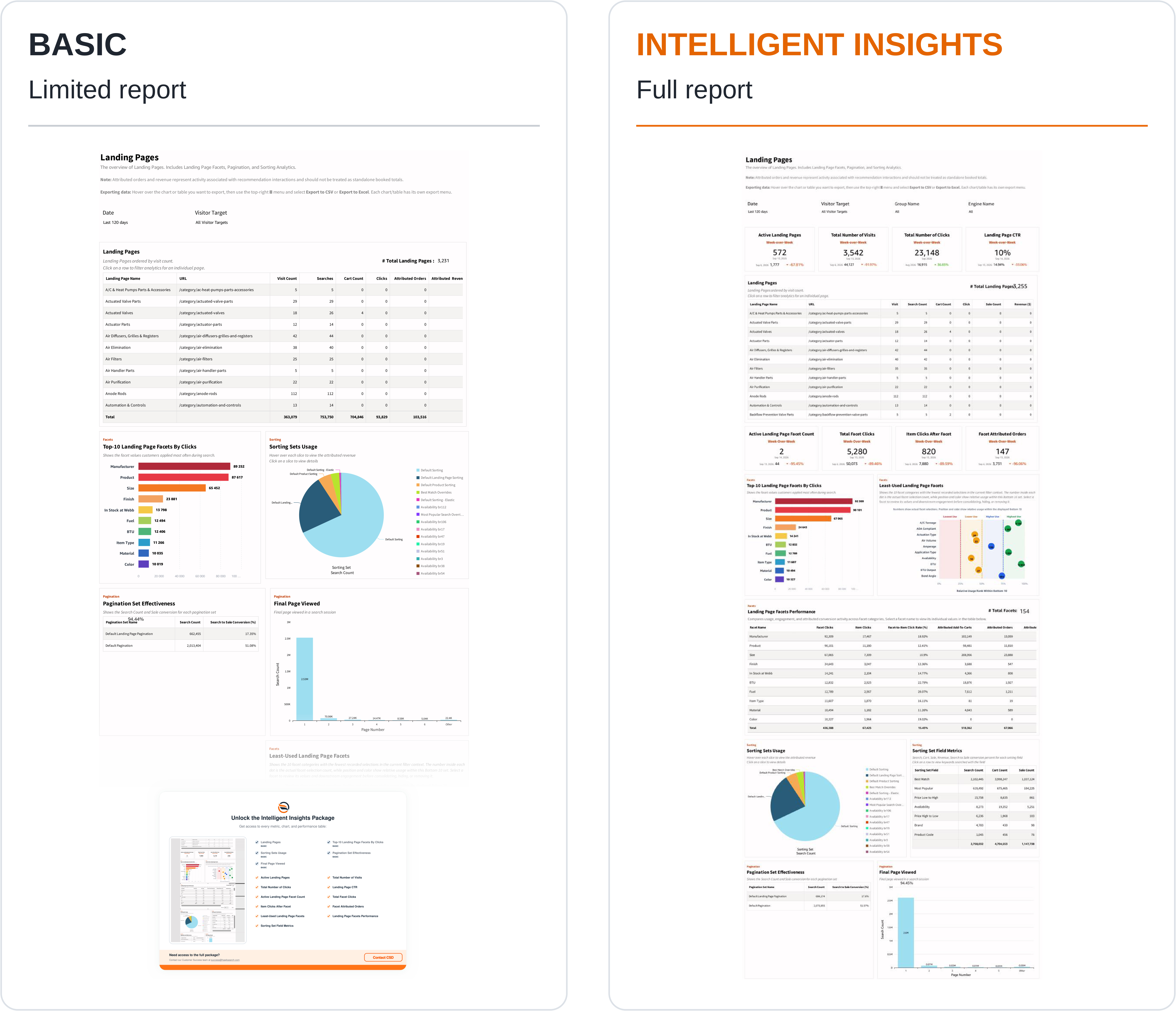
The page-level KPI cards show Active Landing Pages, Total Number of Visits, Total Number of Clicks, and Landing Page CTR. The page table includes the landing page name, URL, visits, search count, cart count, clicks, sale count, and revenue.
The Facets section includes active facet count, facet clicks, item clicks after a facet, and attributed orders. It also contains top-use and least-use facet charts plus Landing Page Facets Performance, where categories are compared on engagement and attributed activity.
The Sorting section compares sorting-set usage and shows search, cart, and sale counts by sorting field. The Pagination section compares pagination-set search volume and search-to-sale conversion, alongside the distribution of final pages viewed.
How to use the report
- Set the period and engine or audience.
- Inspect page visits and engagement in the Landing Pages table.
- Select a page to review the associated analytics.
- Compare the page's commonly used facets and sorting options.
- Review final pages viewed and pagination performance to understand browsing depth.
- Use the dedicated Facets Performance, Sorting, or Pagination report when you need a broader investigation of that feature.
Interpreting the results
Visits, search requests, clicks, cart activity, and sales describe different interactions; they are not interchangeable counts. Check the period labels on the comparison cards, which may differ from the scope of the tables.
Facet, sorting, and pagination measures describe overlapping aspects of a customer's browsing journey. Do not add those sections together to create a page's unique order or revenue total. A high first-page share can reflect successful browsing or early departure; use clicks and conversion activity to understand the outcome.
Intelligent Insights
Our Intelligent Insights package provides deeper and intuitive insights into your business.
This feature is enabled per request, please reach out to your CSD at [email protected] for more information.
Updated about 1 month ago