

Redirect Tracking
Redirect Tracking shows when a search matches a configured redirect rule and sends a customer to a destination URL. Use it to review rule usage and the keywords triggering those redirects.
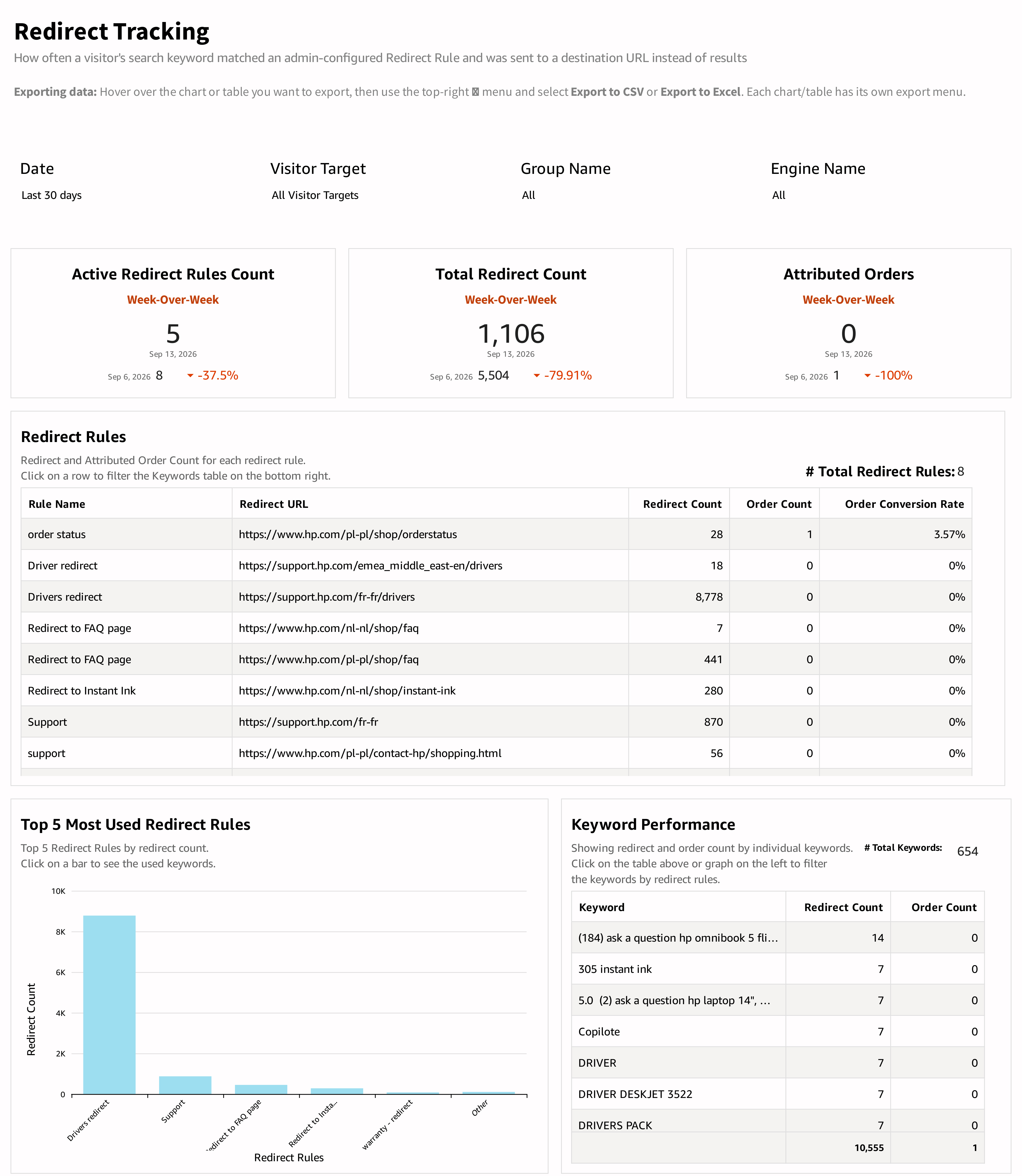
What the report shows
The KPI cards compare Active Redirect Rules Count, Total Redirect Count, and Attributed Orders across labeled periods.
The Redirect Rules table contains the rule name, redirect URL, redirect count, order count, and order conversion rate. It also displays the total number of rules represented by the view.
Top 5 Most Used Redirect Rules compares redirect counts for the displayed rules, with Other where shown. The Keyword Performance table lists keywords with redirect counts and order counts, alongside the reported keyword total.
How to use the report
- Choose the period and engine or audience.
- Review high-use rules and confirm that their destination URLs still serve the intended purpose.
- Select a rule in the Redirect Rules table or a bar in the chart.
- Inspect the associated keywords to see whether the rule is matching the intended searches.
- Review broad, unexpected, or outdated matches before changing the rule.
Interpreting the results
A redirect count records use of a rule; it does not by itself establish customer satisfaction at the destination. Attributed orders show associated purchase activity within the report's tracking scope.
Interpret conversion in light of the rule's purpose. A support, order-status, or policy redirect may be useful even when it produces no orders. For shopping destinations, compare the rule's volume and attributed order activity and review the landing experience.
The latest comparison card can cover a shorter period than the rule and keyword tables. Check the dates before comparing their totals.
Updated about 4 hours ago