

Queries with Poor Results
This report helps you find search terms with limited result availability. Use it to prioritize queries that may need synonyms, redirects, search tuning, product content changes, or catalog review.
What the report shows
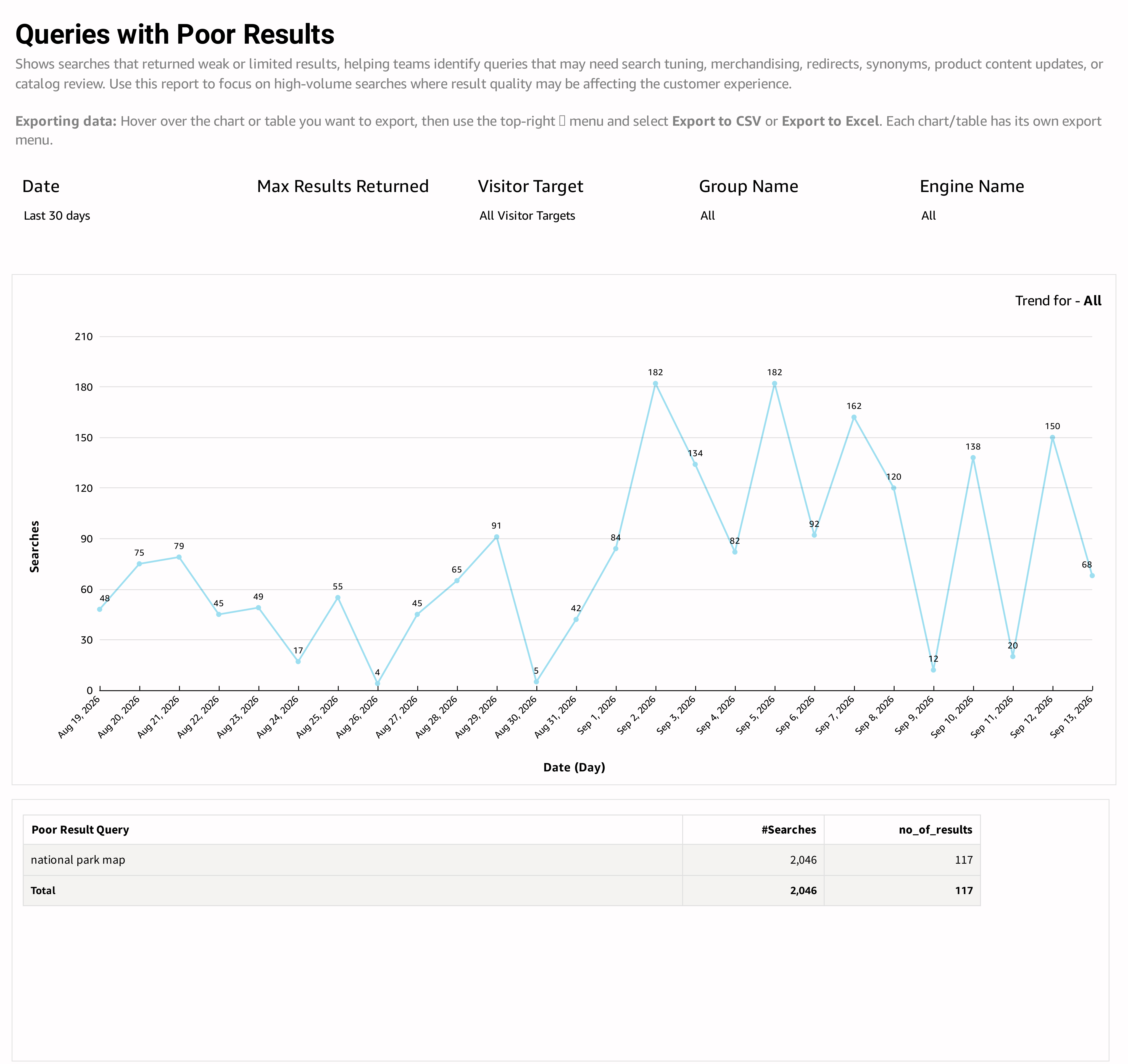
The daily trend shows search volume for the current poor-results view. Its label identifies the current trend context.
The detail table contains Poor Result Query, #Searches, and no_of_results. Use the search count to understand demand and the reported result-count field to assess result availability.
How to use the report
- Set the period and engine or audience you want to investigate.
- Set Max Results Returned to focus on the level of result availability that matters to your catalog.
- Review the listed terms, starting with those searched most often.
- Run a candidate term on your site and inspect the results in context.
- Choose an appropriate response: improve product data, add a synonym, tune relevance, review catalog coverage, or direct an informational query to a suitable page.
- Return to a comparable period after the change to assess search volume and result availability.
Interpreting the results
Here, poor results refers to limited result availability under the chosen threshold. It is not a direct measurement of customer satisfaction or semantic relevance. A precise product query can legitimately return a small result set; a broad category query may require more coverage.
For terms that return results but attract few clicks, also review Top Queries and Click Position. Use Conversion Tracking to understand the associated cart and sales activity before deciding which issues have the greatest business impact.
Updated 30 days ago