

Daily Spelling Suggestions
Displayed as Daily Spelling Suggestions, this report shows when HawkSearch provides spelling assistance and how customers engage afterward. Use it to review common input variations, correction quality, and searches that still need attention.
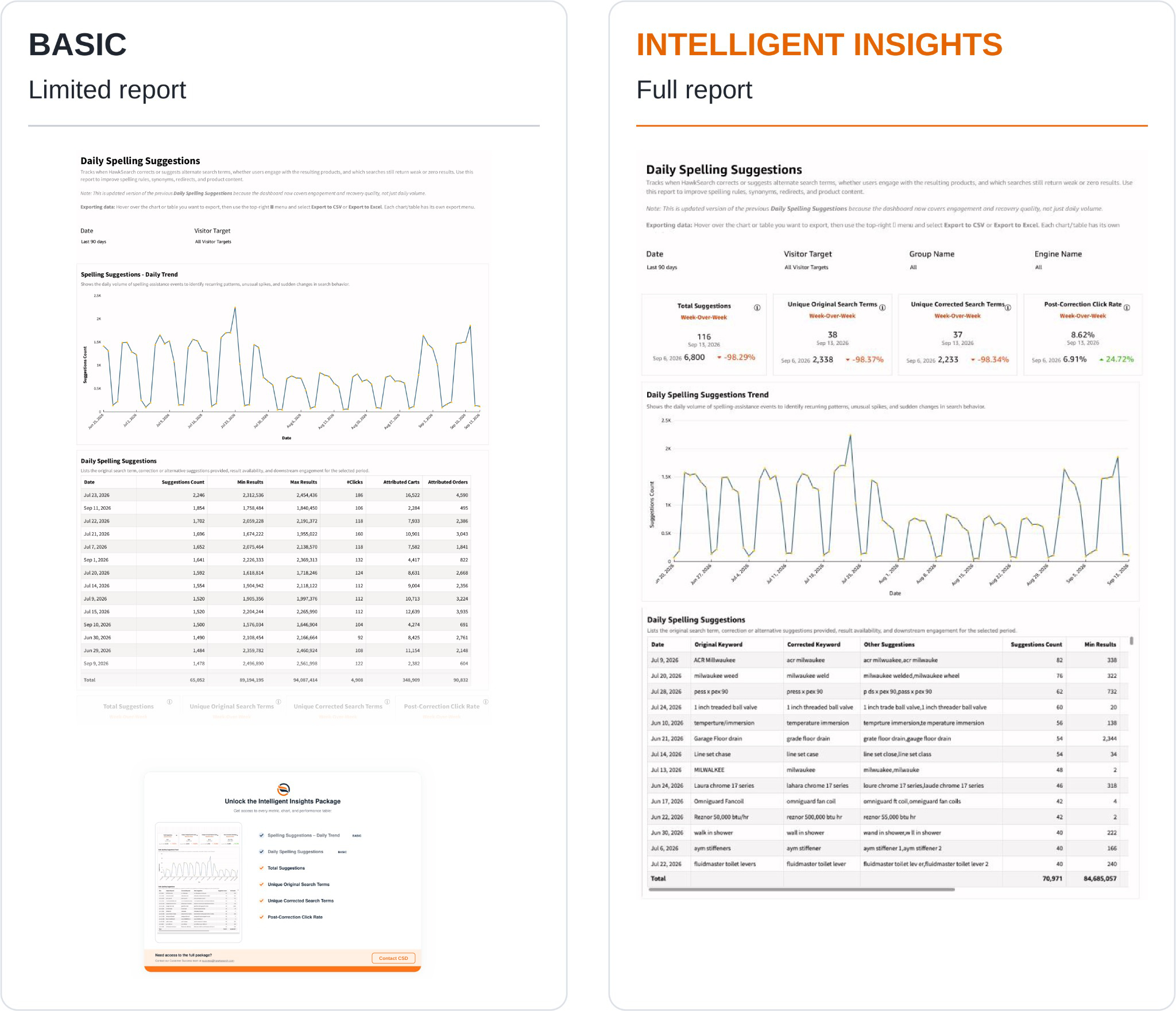
What the report shows
Four comparison cards summarize Total Suggestions, Unique Original Search Terms, Unique Corrected Search Terms, and Post-Correction Click Rate. Read the dates on these cards before comparing them with full-period table totals.
Daily Spelling Suggestions Trend shows spelling-assistance volume over time. The detail table presents the Date, Original Keyword, Corrected Keyword, Other Suggestions, Suggestions Count, and result-availability fields such as Min Results.
Original Keyword is the term entered by the customer. Corrected Keyword is the correction recorded by the report; Other Suggestions lists additional alternatives. Suggestions Count indicates the frequency of the recorded suggestion activity. Inspect additional table columns using the available scroll controls.
How to use the report
- Review the trend for repeated patterns or sudden changes.
- Inspect frequently occurring original and corrected terms.
- Check whether the correction preserves the customer's intended product, brand, or specification.
- Review result availability and post-correction engagement together.
- Consider spelling overrides, synonyms, redirects, or product content updates where the suggested term does not lead customers to suitable results.
Interpreting the results
More suggestions do not automatically mean better search quality. An increase can reflect more searches, more input errors, or a change in how queries are handled. Likewise, a suggestion can return products without being a useful interpretation of the original query.
Prioritize recurring corrections with weak engagement or unsuitable results. Review technical specifications carefully: changing a dimension, model number, or rating can change the meaning of a query. Use Queries with Poor Results to investigate remaining gaps in result availability.
Intelligent Insights
Our Intelligent Insights package provides deeper and intuitive insights into your business.
This feature is enabled per request, please reach out to your CSD at [email protected] for more information.
Updated 26 days ago