

Google Analytics
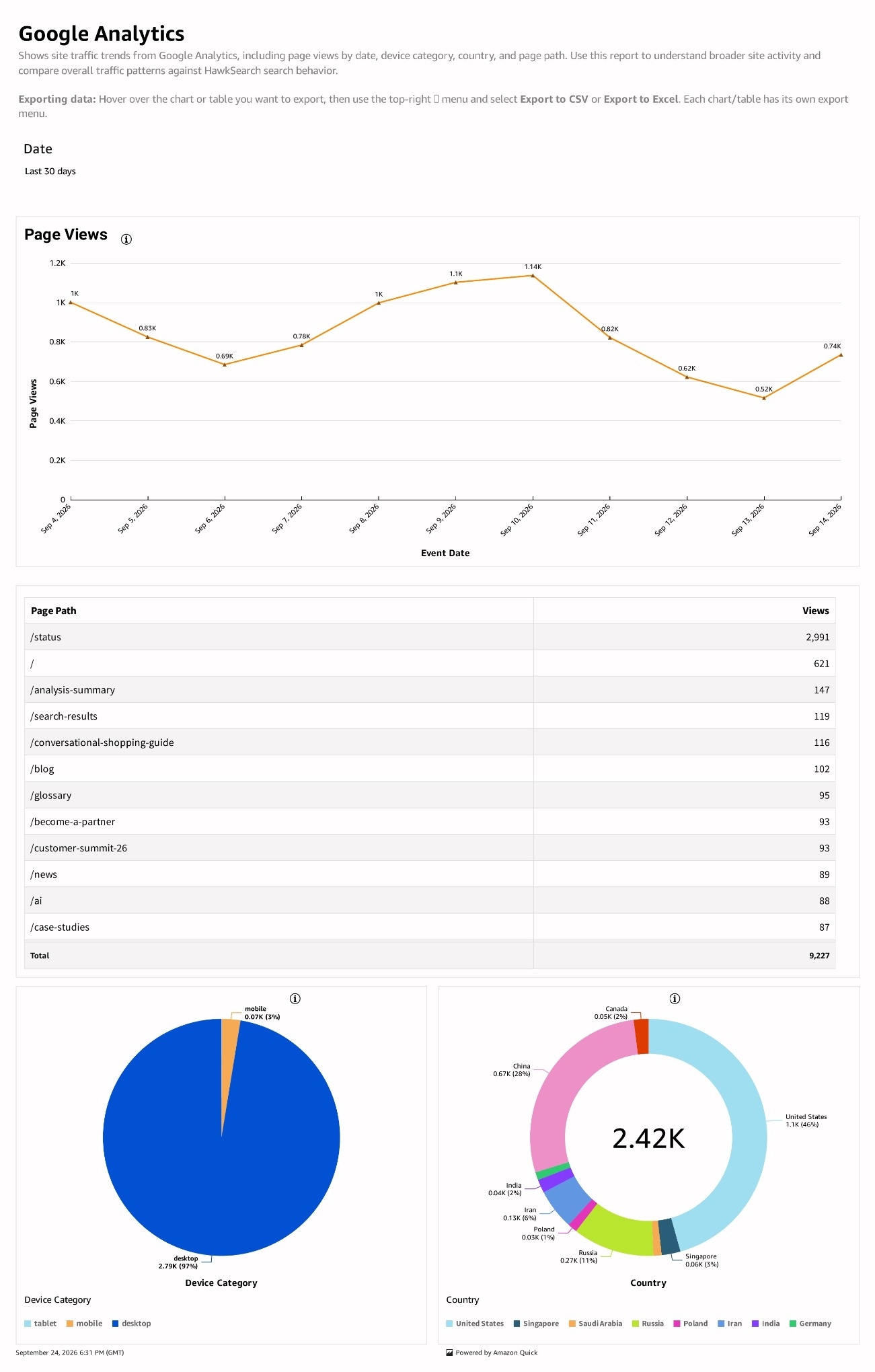
Google Analytics provides broader site-traffic context for your HawkSearch analysis. The report describes page views over time and traffic breakdowns by device category, country, and page path. Use it to compare overall site activity with changes in search behavior.
What to review
Start with Page Views to understand the site's traffic pattern over the selected period. Where populated in your connected report, use the device, country, and page-path breakdowns to investigate which parts of the audience or site account for the change.
How to use the report
- Select the period you want to investigate.
- Review page-view activity and the populated traffic breakdowns.
- Open Daily Searches or Search Performance and choose a comparable period.
- Determine whether a search-volume change occurred alongside a broader traffic change.
- Export the relevant visual when sharing the comparison with your team.
Interpreting the results
Page views and search requests measure different activities. Their totals should not be expected to match, and page views should not be treated as unique visitors or search sessions.
If the report is blank, check the selected period and whether the Google Analytics connection is supplying data. An empty visual does not establish that the site had no visitors. Ask your HawkSearch contact to review the integration if expected traffic is missing.
Use traffic patterns as context for search analysis. To investigate which queries or products contributed to engagement and sales, continue with Top Queries and Conversion Tracking.
Updated 29 days ago