

Campaign Performance
Campaign Performance summarizes exposure, clicks, and attributed sales activity for HawkSearch campaigns. Use it to review engagement with campaign content and compare the campaigns represented in the selected period.
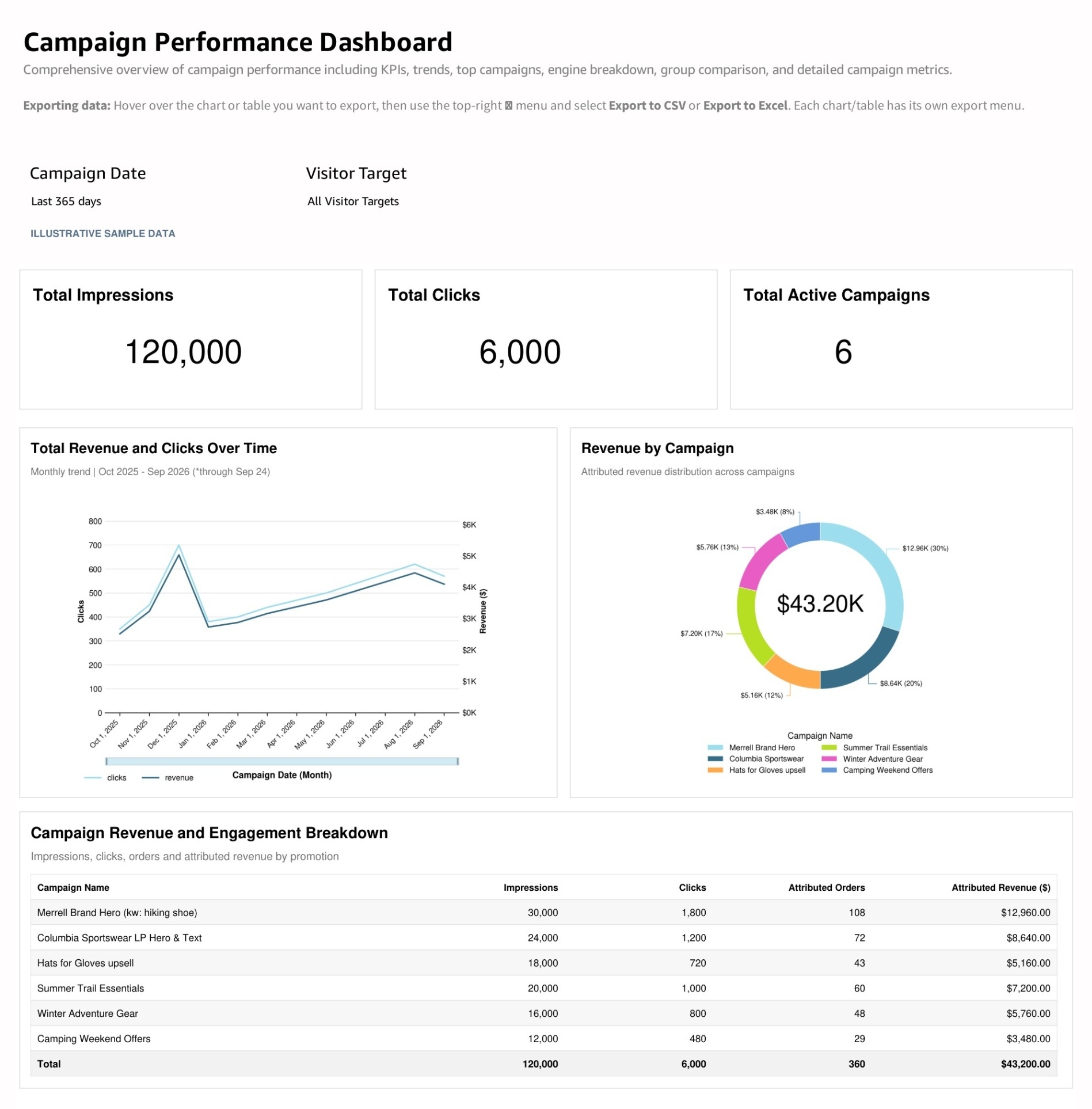
What the report shows
The KPI cards display Total Impressions, Total Clicks, and Total Active Campaigns.
Total Revenue and Clicks Over Time shows the daily pattern of the two measures. Total Revenue by Search Engine groups the campaign revenue measure by HawkSearch engine.
Campaign Revenue and Engagement Breakdown lists Campaign Name, Impressions, Clicks, Attributed Orders, and Attributed Revenue. Use the table to compare exposure and engagement with the attributed sales activity reported for each campaign.
How to use the report
- Set the campaign period and engine or audience.
- Confirm that the expected campaigns are represented.
- Review impressions and clicks to understand exposure and response.
- Check the daily trend for changes around campaign launches or updates.
- Compare campaign rows and inspect the relevant content and placement before making changes.
Interpreting the results
An impression indicates recorded exposure, while a click indicates recorded interaction. A campaign with no clicks may need a content or placement review, but first check that both types of event are being tracked correctly.
Attributed orders and revenue represent activity associated with the campaign. They should not be added to other attribution reports to create a booked sales total. Engine Name refers to the HawkSearch engine context, not an external advertising network.
Use Banners Performance to review individual banner records when that level of detail is needed. Export the campaign table for a consistent period when comparing several campaigns.
Updated about 20 hours ago